Maps that are there when the signal isn't
By Fred Kix · 29 October 2026 · offline maps
Out on the trail, the signal comes and goes. Your maps shouldn't. GroupTrack downloads exactly the maps your ride needs, and keeps them on your tablet.
Most map apps make you download a big square around where you're going. That takes a long time and fills up your tablet with miles of maps you'll never look at. GroupTrack does it differently.
Maps along your route, not around it
GroupTrack downloads the maps along your route as a corridor, a band that follows the trail. Here's the clever part: the band is narrow for the close-up maps and wider for the zoomed-out ones. So if you keep your trail in the middle of the screen, the way you do when you're riding, you never run off the edge of your maps, at any zoom.
You get every map you'll see on that ride and nothing you won't. It downloads in a fraction of the time and takes a fraction of the space on your tablet.
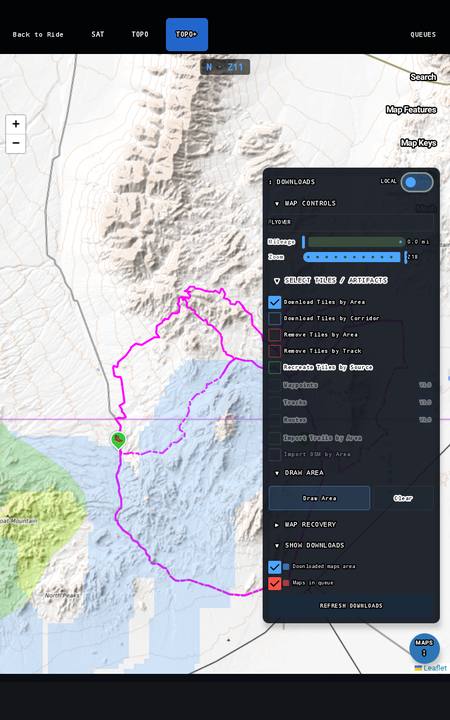
How to get them
- Opening a ride someone sent you starts its maps downloading by itself.
- For your own routes and tracks, open Map on the bottom of the map and choose Download maps along tracks. Tick the ones you want and tap CONTINUE.
- Want a whole area instead? Download maps by area lets you draw a box with your finger.
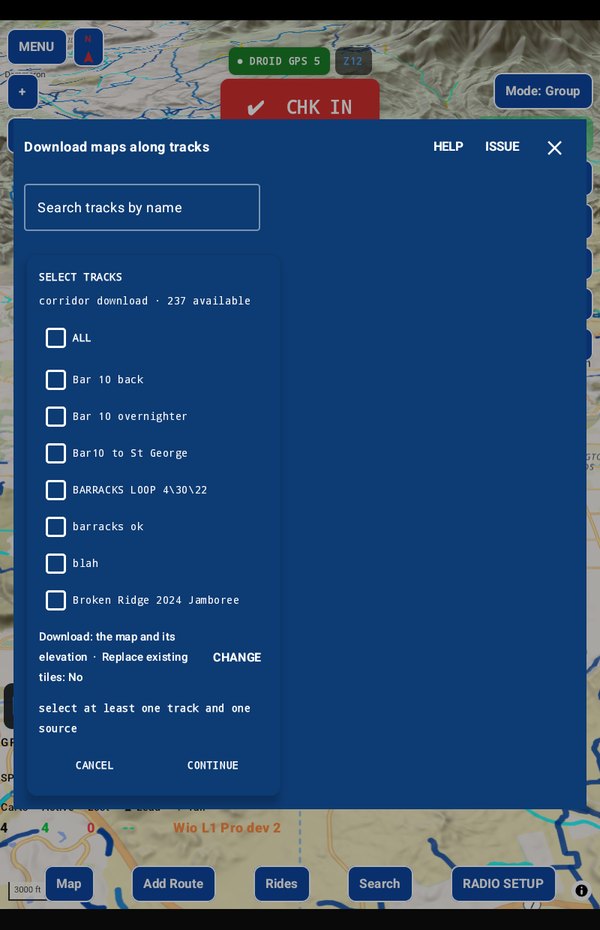
It finishes the job
Downloads go into a queue that keeps working in the background. If you close the app, restart the tablet or the battery runs down, the queue picks up where it left off when you open GroupTrack again. Start it before bed and it's done by morning.
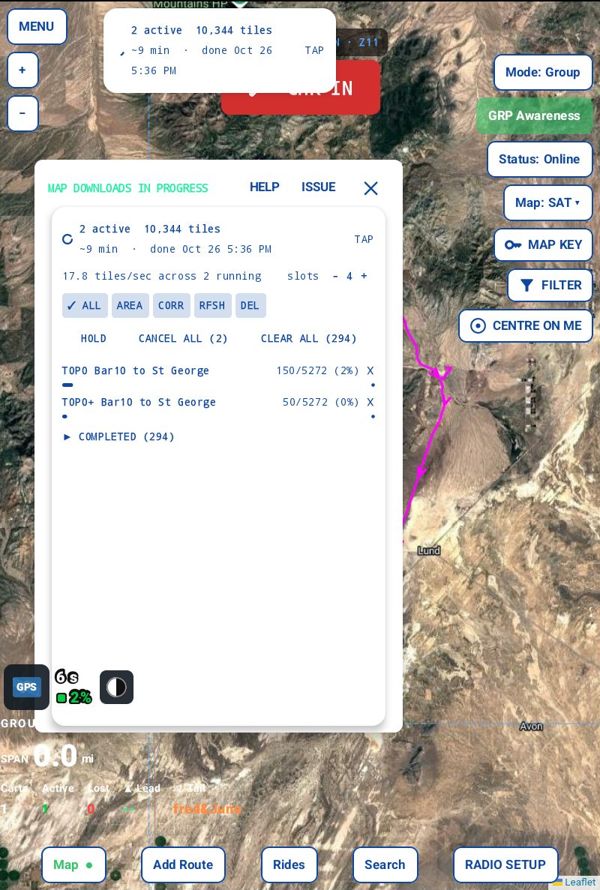
Check before you go
On the right side of the map, tap Status: Online to switch it to Offline. Now GroupTrack only uses what's on your tablet. Look over the area you'll ride. What you see is exactly what you'll have with no signal. Tap it again to go back online.
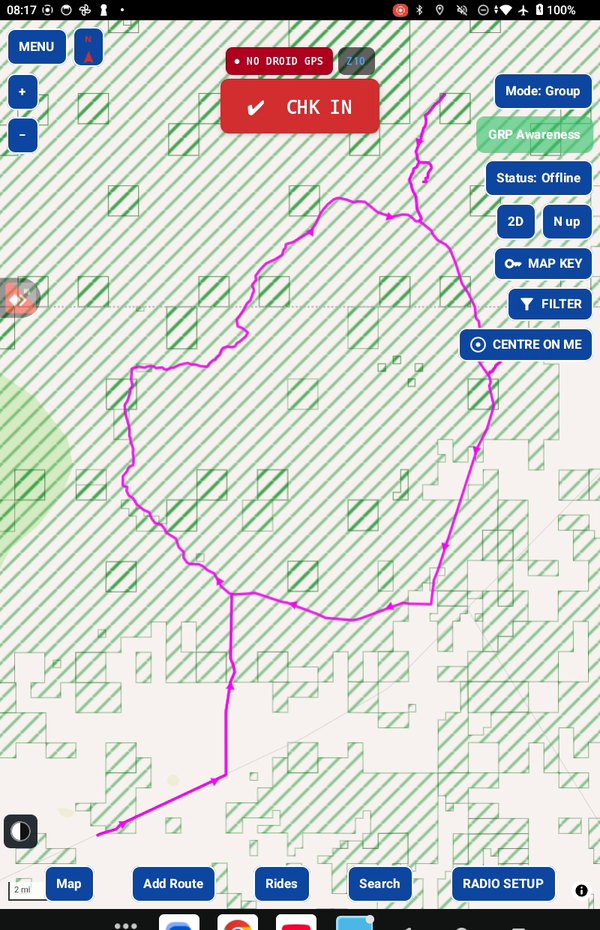
Take it for a test drive
Download GroupTrack, load your state's trails, and look around the places you ride. Try planning a route.
If it isn't for you, uninstall it. There's no account to close and nothing to cancel.
Help me finish it
Find something missing, awkward or broken? Please reach out to me at support@grouptrack.org. I need your input to finish this.
More articles
Next article: Where's the last cart?