Compare routes before you choose
By Fred Kix · 29 October 2026 · route planning
Six routes are only useful if you can tell them apart. GroupTrack lays them side by side so you can see what each one passes and how far it goes on each trail.
When the planner finishes, it doesn't just pick one for you. It shows you every route it built and lets you decide. That matters, because only you know whether your group wants the long way past the overlook or the short loop back to lunch.
Show one route, or all of them
The routes come up in a small panel over the map. Tap a route's name to show it on the map or hide it. Look at one at a time, or put two on the map together and see where they split.
The panel sits on top of the map, so if it's in the way, just drag it somewhere else on the screen. I do this all the time to see the trails underneath.
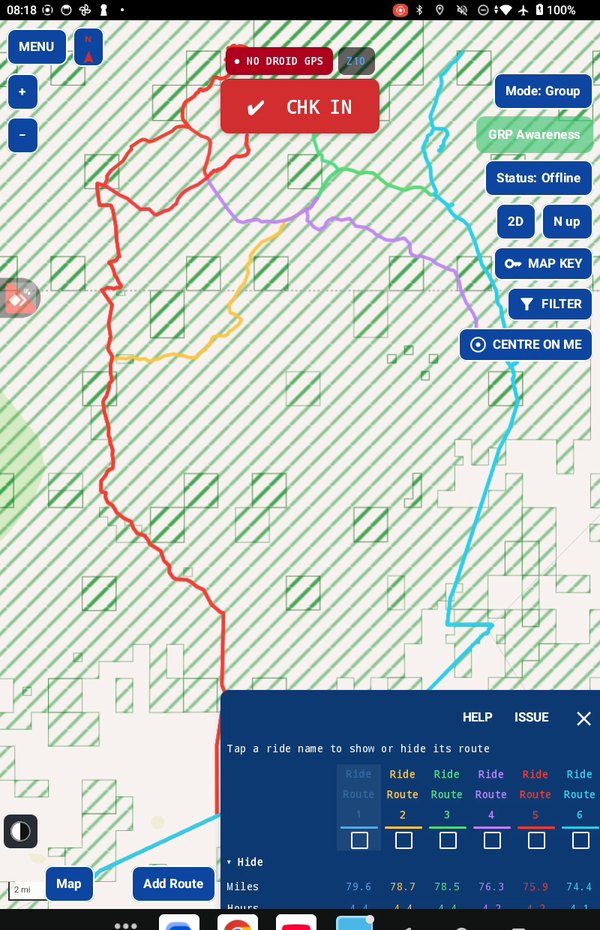
What each route passes
One part of the panel lists the features along the way, with a mark under each route that passes them. At a glance you can see which route takes in the things your group cares about.
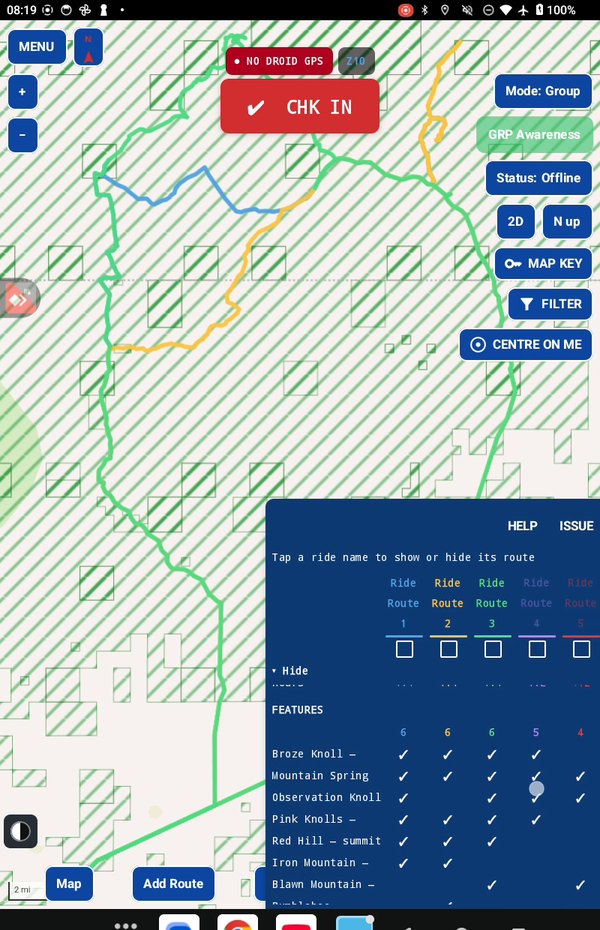
The miles on each trail
Another part shows how many miles each route spends on each trail. If you know a trail is rough, or you know one the group loves, this tells you which route uses it and for how long.
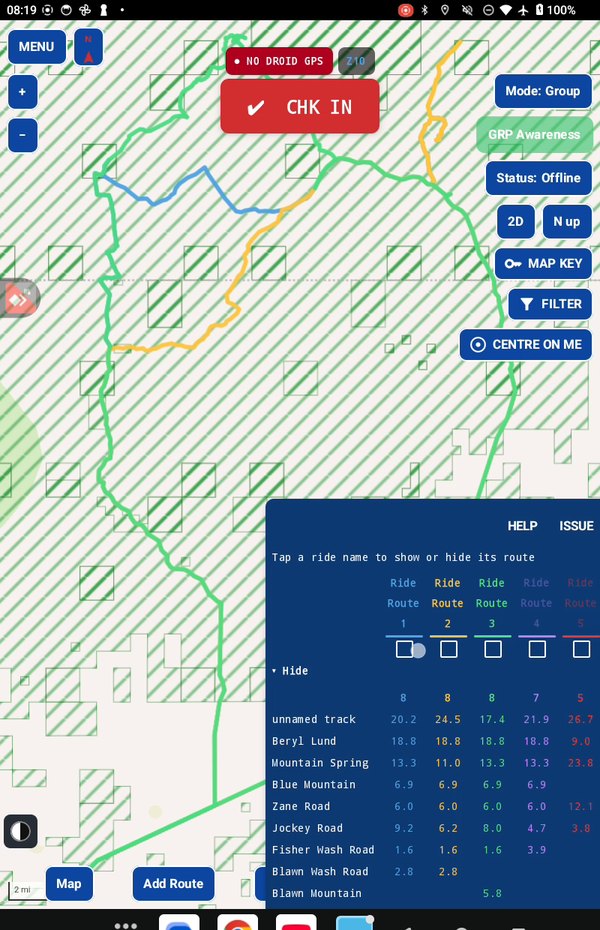
Keep the ones you like
Tick the box beside each route you want and save. Kept routes are named after the area, numbered 1, 2, 3. The rest are deleted, so your map doesn't fill up with routes you'll never ride. Tap a saved route on the map any time to see its details.
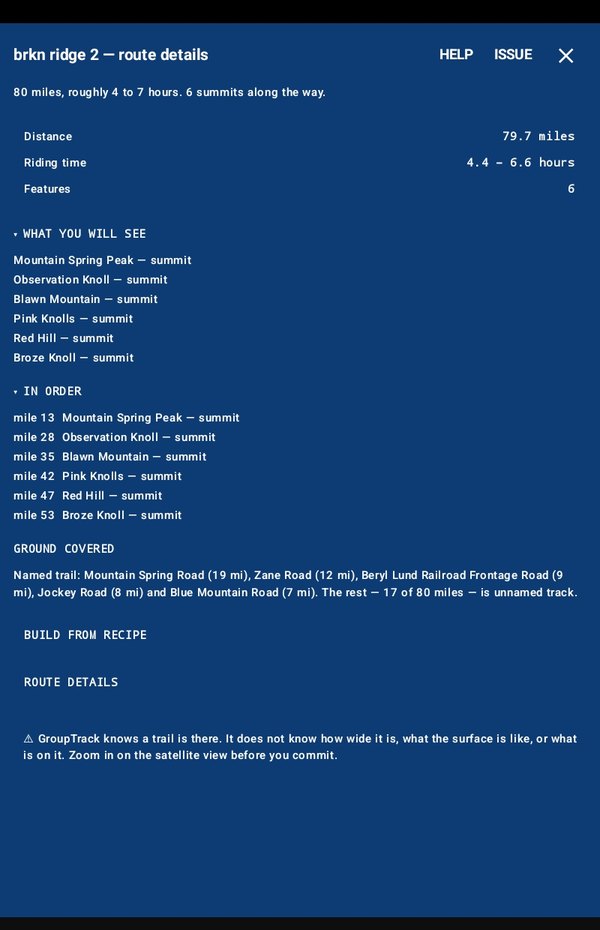
Why I built it this way
A route planner that hands you one answer asks you to trust it blindly. I'd rather show you the choices plainly and let you pick. It takes a minute, and the ride is yours.
In the manual
Take it for a test drive
Download GroupTrack, load your state's trails, and look around the places you ride. Try planning a route.
If it isn't for you, uninstall it. There's no account to close and nothing to cancel.
Help me finish it
Find something missing, awkward or broken? Please reach out to me at support@grouptrack.org. I need your input to finish this.
More articles
Next article: Drop a pin on where you want to go