Where's the last cart?
By Fred Kix · 29 October 2026 · group ridingradios
Where's the last cart? With GroupTrack and a small mesh radio in each cart, everyone in the group is on everyone's map, with no cell signal needed.
Anyone who's ridden in a group knows the moment. You reach a junction, stop, and wait. Did they take a wrong turn? Did someone break down? GroupTrack is built to answer that without anyone turning around.
What's a mesh radio?
It's a small radio, small enough to fit in a pocket, that talks to the other radios nearby. No phone tower, no data plan. Each radio passes messages along for the others, so the more carts you have, the further the group reaches. GroupTrack works with Meshtastic radios. You connect yours to your tablet over Bluetooth once, and GroupTrack does the rest.
No radio? GroupTrack still does everything else: trails, routes, maps and recording. The radio is only for seeing the group.
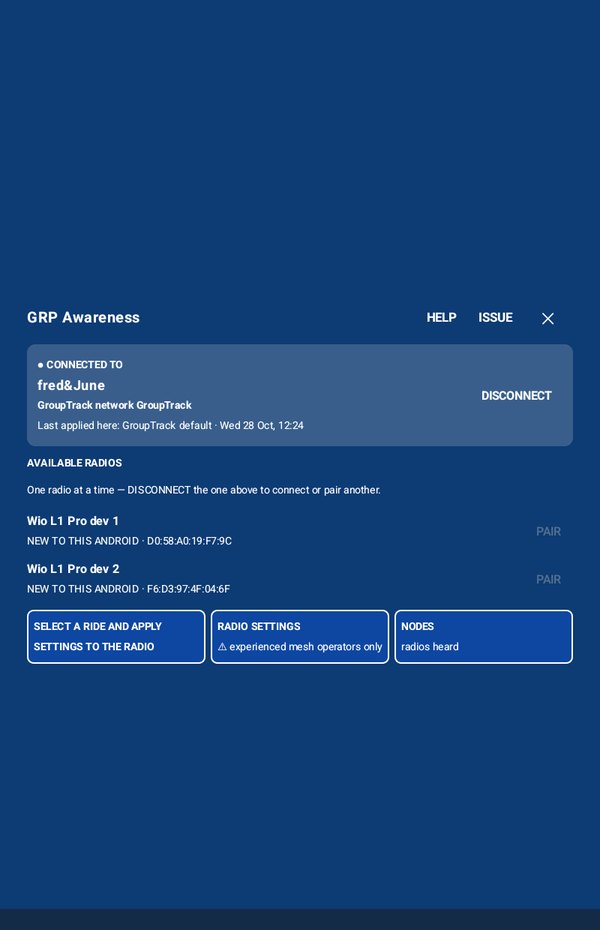
Is my radio connected?
Look at the GRP Awareness button on the right side of the map. Green means your radio is connected and talking. Red means it isn't. Tap it to connect.
Check in at the trailhead
Tap CHK IN at the top of the map. Choose the ride, check your name (your callsign), and pick your role:
- Leader at the front,
- Rider in the group,
- Middle in the middle of the group,
- Tail gunner at the back.
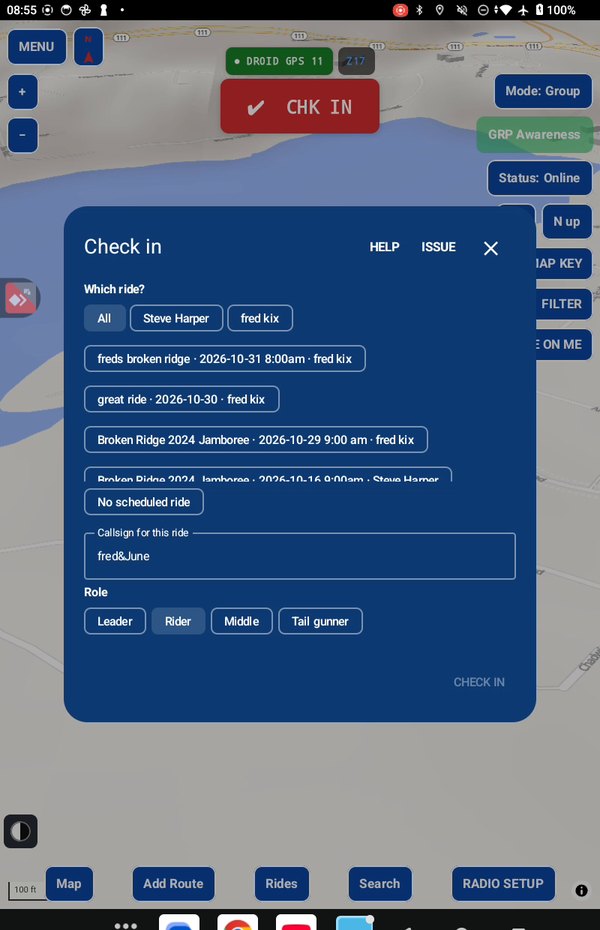
Checking in sets your radio up for the ride, so you hear the group and the group sees you. When everyone rolls out, tap REC.
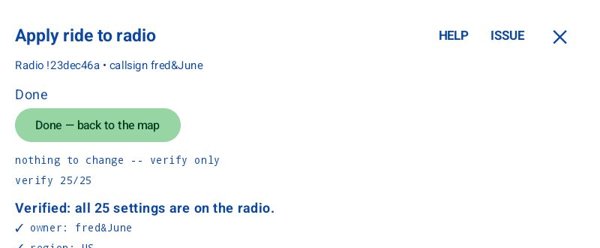
Before anything on your radio changes, GroupTrack shows you exactly what will change. It saves your radio's own settings first, so you can put it back the way it was after the ride. Afterwards it reads every setting back to check it.
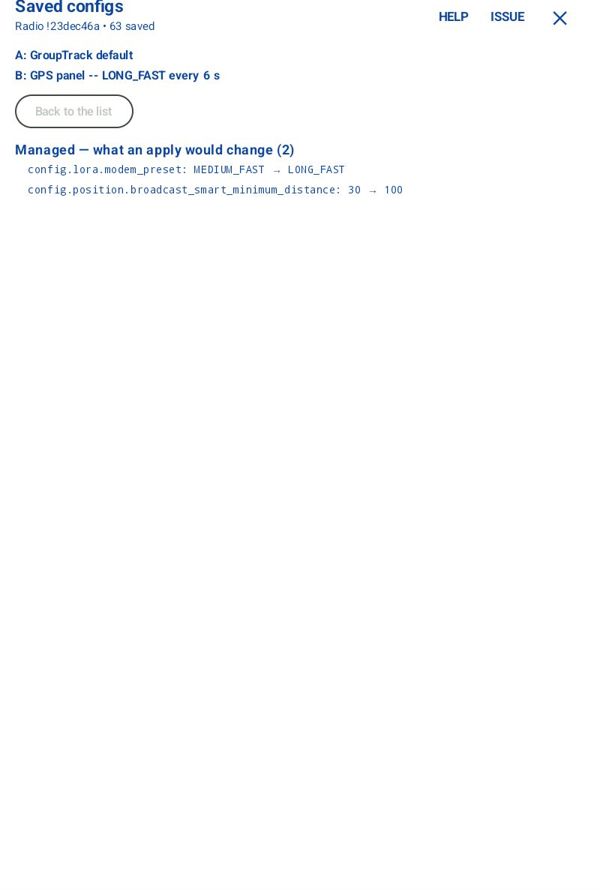
GroupTrack also keeps every setup it puts on your radio. In RADIO SETUP, Archived radio setups lets you compare any two of them to see what's different, and put back the setup from any date.
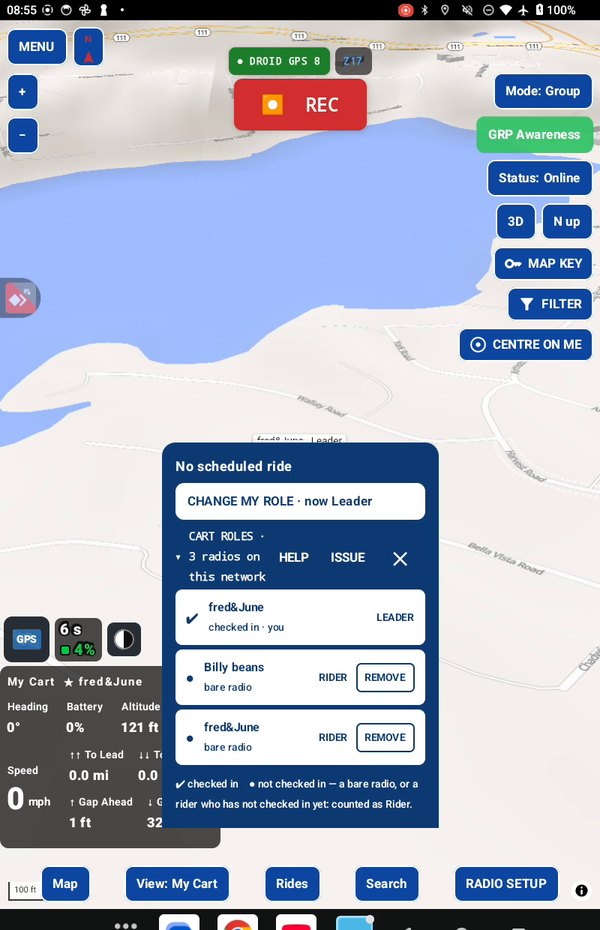
On the trail
Every cart shows on your map. The readout at the bottom left tells you how spread out the group is from front to back, how many carts are reporting, and if any have stopped. The leader's path shows on everyone's map as the lead track, so the carts behind can follow it.
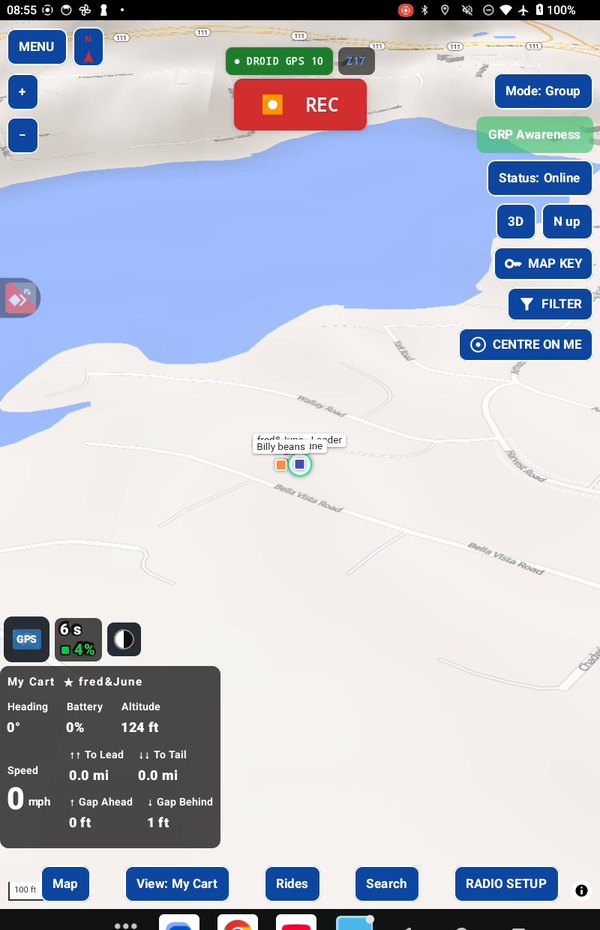
Changing the leader
At a stop, the leader switches to Rider and the new leader picks Leader. It takes seconds. Nobody can change anyone else's role, only their own.
Take it for a test drive
Download GroupTrack, load your state's trails, and look around the places you ride. Try planning a route.
If it isn't for you, uninstall it. There's no account to close and nothing to cancel.
Help me finish it
Find something missing, awkward or broken? Please reach out to me at support@grouptrack.org. I need your input to finish this.
More articles
Next article: Every trail in your state, and the ones nobody published