Trail, route, track, ride: the words GroupTrack uses
By Fred Kix · 29 October 2026 · overview
Trail, route, track, ride. They sound alike, but in GroupTrack each one means one thing. Learn these few words and the whole app makes sense.
When I wrote the manual, I found I was using the same word for different things. So I fixed it. Every word below means one thing everywhere in GroupTrack and in the manual. The short version: you go on a ride, you follow a route, and you record your track.
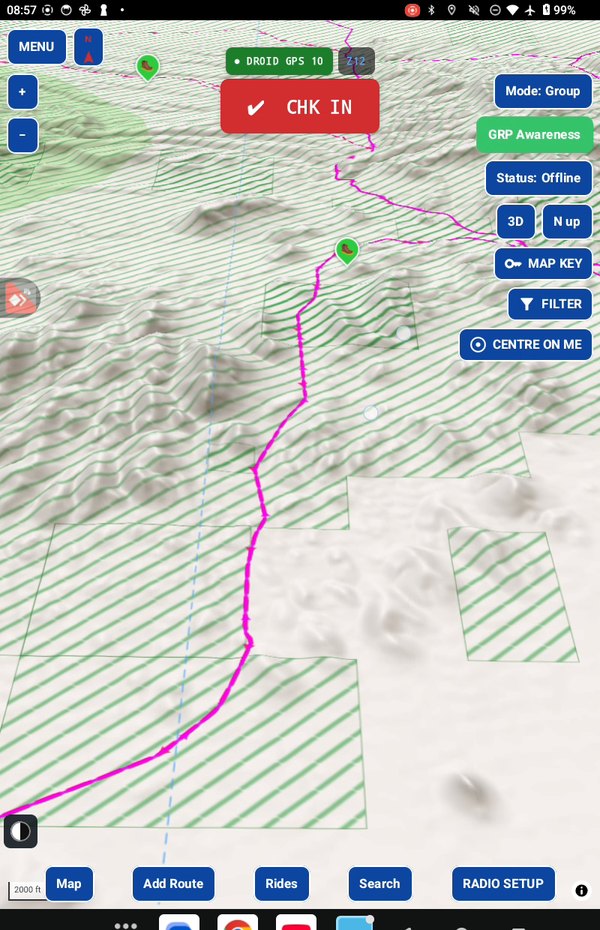
Trail
A path on the ground. Trails come from published sources and from your own rides. Everything in GroupTrack is built from trails.
Rider trail
A trail GroupTrack adds from a track you recorded, on ground where no trail was known. You rode it, so it's rideable.
Route
A plan: trails connected into one line for a ride you're going to take. The planner can build routes for you, or you can draw your own.
Track
A record of where you actually went. You make one when you tap REC. Tracks can also come in from other apps as GPX files.
Waypoint and trailhead
A waypoint is a named spot on the map: fuel, water, a viewpoint, a hazard. Touch and hold the map to add one. A trailhead is a waypoint where a route starts and riders meet.
Ride
Everything a group needs to ride together, in one package: the route, the trailhead, the date and time, the maps and the radio setup. You send a ride by email, and each rider opens it in one tap.
Check in, cart and role
Checking in is joining a ride on the day. A cart is a vehicle on the ride with a radio, and its role is Leader, Rider, Middle or Tail gunner.
Android only and Group
The two ways to ride. Android only: just you, no radio needed. Group: everyone with a mesh radio, every cart on your map.
Offline maps
Maps saved on your tablet, so the map works with no signal.
That's the series
This is the last of twelve articles. If there's something you'd like me to explain, write to me and I'll write about it.
And there's more on the way: an iPad version, and a community page where you can post public rides and sign up for them. I can't say more right now, but I'm getting there.
In the manual
Take it for a test drive
Download GroupTrack, load your state's trails, and look around the places you ride. Try planning a route.
If it isn't for you, uninstall it. There's no account to close and nothing to cancel.
Help me finish it
Find something missing, awkward or broken? Please reach out to me at support@grouptrack.org. I need your input to finish this.
More articles
That's the series. Write to support@grouptrack.org with what you'd like explained next.