One ride, with everything your group needs
By Fred Kix · 29 October 2026 · ridesgroup riding
Sending your group a link to a route isn't enough. They still need the maps, a place to meet, a time, and their radios set up. In GroupTrack, a ride holds all of it in one package.
If you've ever organised a group ride, you know the messages that go back and forth. Where are we meeting? What time? Which trail? Did everyone download the maps? A ride in GroupTrack answers all of those at once.
What's in a ride
- The route you'll follow.
- The trailhead where everyone meets.
- The date and rollout time.
- The maps to have on the tablet, for riding with no signal.
- The radio setup, for groups riding with mesh radios.
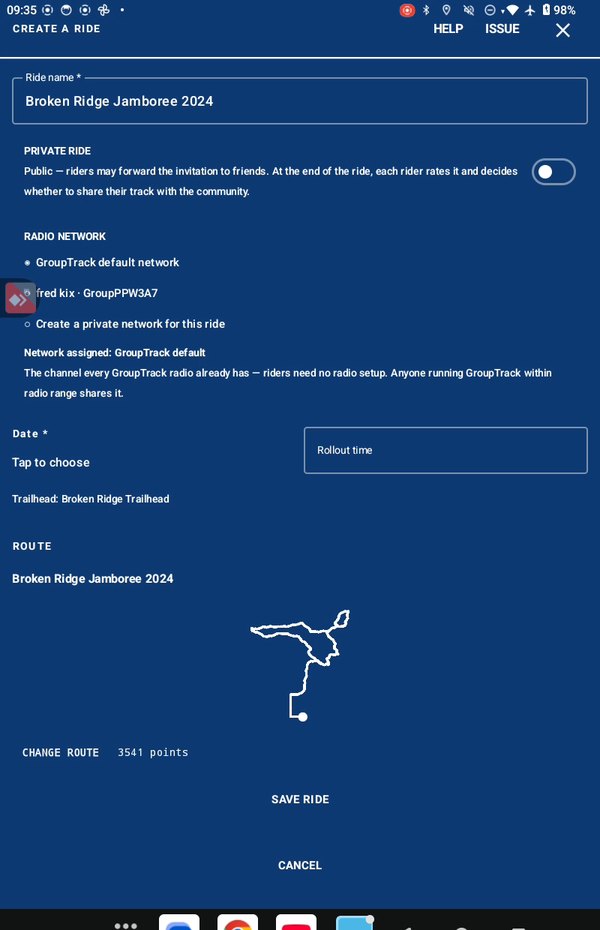
Making one
Open Rides on the bottom of the map and choose Create a ride. Search for the area, give the ride a name, and pick your route from the ones on the map. GroupTrack looks for a trailhead within half a mile of the start of the route. If there's one, it's used. If there are a few, you pick. If there's none, you just describe where to meet.
Add the date and the time you'll roll out, and the ride is complete. You only need a name to save it, so you can start it today and finish it later.
Sending it
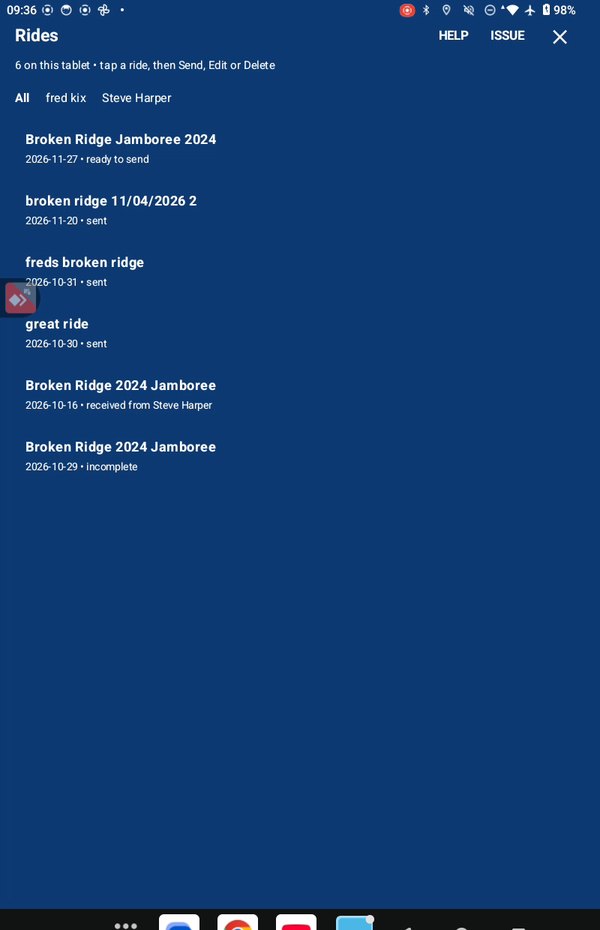
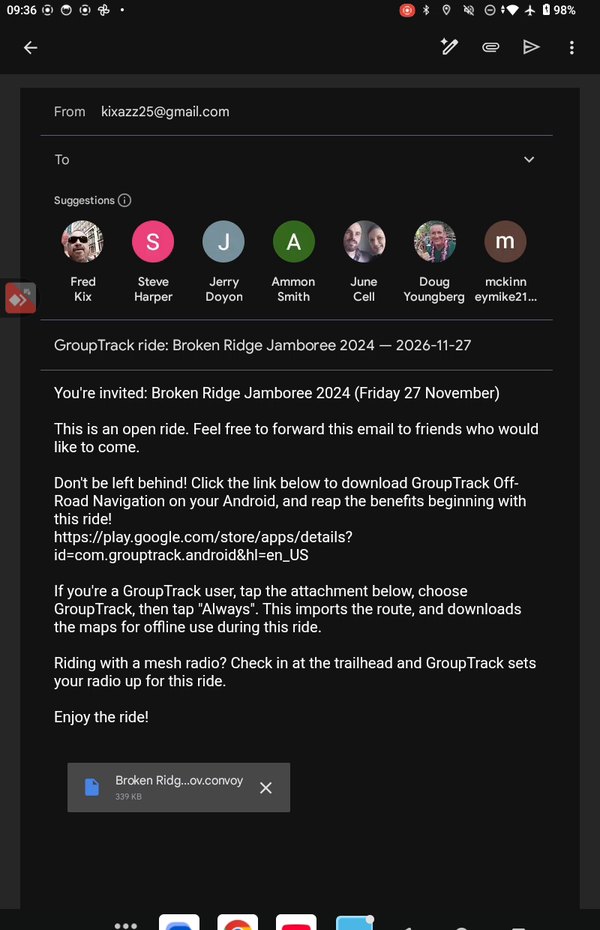
In My rides, tap the ride and then Share. Your email app opens with the ride attached. Add your riders' email addresses and send it, the same as any email. You can send the same ride to anyone, any time.
What your riders do
They tap the attachment in the email and choose Open with GroupTrack. That's all. The route, the trailhead, the maps and the radio settings land on their tablet. My next article covers that part.
Why it matters
Everyone shows up with the same plan and the maps already on their tablet. Nobody's trying to download maps in the parking lot with one bar of signal.
In the manual
Take it for a test drive
Download GroupTrack, load your state's trails, and look around the places you ride. Try planning a route.
If it isn't for you, uninstall it. There's no account to close and nothing to cancel.
Help me finish it
Find something missing, awkward or broken? Please reach out to me at support@grouptrack.org. I need your input to finish this.
More articles
Next article: Someone sent you a ride. Here's what to do.